(616) 828-5360

  • Windows 10 End of Life Countdown
  • IT Services
    • IT Services
    • IT Support
    • FIT Assurance Security Business Series
    • FIT Assurance Security Live Series
  • Industries
    • Small Business
    • Manufacturers
    • Non-Profits
    • Service
  • About
    • About Us
    • Leadership Team
    • Blog
    • News
    • Privacy Policy
  • Support
  • Careers
  • Contact
  • Millennia Technologies
  • Windows 10 End of Life Countdown
  • IT Services
    • IT Services
    • IT Support
    • FIT Assurance Security Business Series
    • FIT Assurance Security Live Series
  • Industries
    • Small Business
    • Manufacturers
    • Non-Profits
    • Service
  • About
    • About Us
    • Leadership Team
    • Blog
    • News
    • Privacy Policy
  • Support
  • Careers
  • Contact
  • Millennia Technologies
Aug 01

3 Ways to Address Digital Clutter on Your Desktop

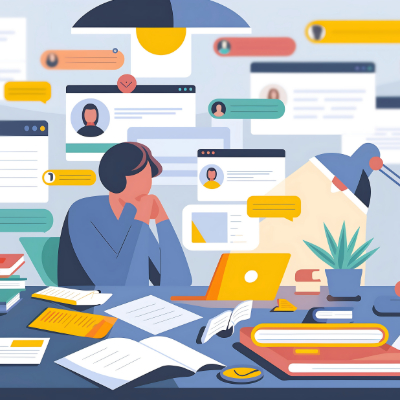
How much time do you waste every day while trying to find specific files? Chances are, it’s more than you’d like, and one quick glance at your digital workspace would tell us you have some tidying up to do. Today, we want to share three tips to help you be more organized and productive with your digital workspace.

Declutter Your Desktop

How often does your desktop look like someone dumped a box of mismatched puzzle pieces on the ground?

It’s easy for the desktop to become your default location for new files and shortcuts, which only makes your desktop disorganized and visually overwhelming. You want to treat your desktop like a physical workspace; clean and tidy. Move files into designated folders, and you might be surprised by how much it improves your ability to find locations and actually focus on your work.

This is just one example of how to use technology to streamline workflows and make your processes more efficient.

Implement Folder Structures

Getting files off your desktop only helps if you have a folder structure in place to manage them, though, and that’s where this next tip comes in.

While we recommend your business have a file infrastructure beyond the desktop level, you should encourage your team to keep their own file infrastructure practices in mind as they go about their day. For example, you might create a hierarchical structure with clearly named folders for different projects, clients, or departments. You might then include subfolders in each for active and inactive clients, making them easier to find and share.

It’s also worth noting that file management systems often have a search feature that can pull files based on their names or content, so make sure you’re giving your folders and documents names that make sense.

Use the Cloud for Storage

All the files that were taking up space on your desktop can be stored in the cloud for easy access and collaboration.

Cloud tools like Google Drive and Microsoft OneDrive make file storage and management a breeze. All you need is an Internet connection, and you can work anywhere, from the coffee shop down the street to halfway across the country. Cloud storage is especially helpful for teams that need access to files located on different computers and accounts; since the files aren’t stored locally, they’ll be easier to share, making project collaboration a breeze.

Your team can work on the same document in real time, which makes work easier and faster.

Fusion IT can offer your business file management tools that can help it stay secure and organized, all at the same time. To learn more about the IT solutions we provide, give Fusion IT a call at (616) 828-5360.

  • Facebook
  • Twitter
  • Reddit
  • Pinterest
  • Google+
  • LinkedIn
  • E-Mail

Posts by Topic

  • Annual Golf Scramble
  • Best practices
  • Blog
  • Business
  • Cloud
  • How To
  • IT Blog
  • Miscellaneous
  • News
  • Newsletter Archive
  • Security
  • Technology
  • Tip of the Week

Tags

ai Backup Best Practices Business cloud Computer Current Events cybersecurity Data Data Recovery Disaster Recovery Efficiency Email Gadgets Hackers Hardware Holiday Innovation IT Services IT Support Malware Managed Service Microsoft Miscellaneous Network Security Outsourced IT Phishing Privacy Productivity Quick Tips Ransomware Saving Money security Small Business Social Media Software Technology Tip of the Week trust Upgrade User Tips Windows Windows 7 Workplace Strategy Workplace Tips

Archives

  • December 2025
  • November 2025
  • October 2025
  • September 2025
  • August 2025
  • July 2025
  • June 2025
  • May 2025
  • April 2025
  • July 2024
  • November 2023
  • October 2023
  • June 2023
  • May 2023
  • April 2023
  • March 2023
  • February 2023
  • January 2023
  • September 2021
  • January 2021
  • October 2020
  • June 2020
  • January 2020
  • September 2019
  • July 2019
  • June 2019
  • November 2018
  • February 2018
  • January 2018
  • November 2017
  • October 2017
  • August 2017
  • July 2017
  • June 2017
  • May 2017
  • April 2017
  • March 2017
  • February 2017
  • January 2017
  • November 2016
  • October 2016
  • September 2016
  • August 2016
  • July 2016
  • June 2016
  • May 2016
  • April 2016
  • March 2016
  • February 2016
  • January 2016
  • December 2015
  • November 2015
  • October 2015
  • September 2015
  • July 2015
  • June 2015

Recent Posts

  • Dickens Dealt with Goblins… We Deal with the Christmas Hackers
  • Who’s Pulling the Strings? Understanding and Fighting the Digital Algorithm
  • 3 Reasons to Be Scared of Break-Fix IT
  • How a Virtual CIO Delivers Enterprise Strategy for a Fraction of the Cost
  • Your Business Would Benefit from a Cloud-First IT Model
  • Windows 10 End of Life Countdown
  • IT Services
    • IT Services
    • IT Support
    • FIT Assurance Security Business Series
    • FIT Assurance Security Live Series
  • Industries
    • Small Business
    • Manufacturers
    • Non-Profits
    • Service
  • About
    • About Us
    • Leadership Team
    • Blog
    • News
    • Privacy Policy
  • Support
  • Careers
  • Contact
  • Millennia Technologies
  • Windows 10 End of Life Countdown
  • IT Services
    • IT Services
    • IT Support
    • FIT Assurance Security Business Series
    • FIT Assurance Security Live Series
  • Industries
    • Small Business
    • Manufacturers
    • Non-Profits
    • Service
  • About
    • About Us
    • Leadership Team
    • Blog
    • News
    • Privacy Policy
  • Support
  • Careers
  • Contact
  • Millennia Technologies