(616) 828-5360

  • Windows 10 End of Life Countdown
  • IT Services
    • IT Services
    • IT Support
    • FIT Assurance Security Business Series
    • FIT Assurance Security Live Series
  • Industries
    • Small Business
    • Manufacturers
    • Non-Profits
    • Service
  • About
    • About Us
    • Leadership Team
    • Blog
    • News
    • Privacy Policy
  • Support
  • Careers
  • Contact
  • Millennia Technologies
  • Windows 10 End of Life Countdown
  • IT Services
    • IT Services
    • IT Support
    • FIT Assurance Security Business Series
    • FIT Assurance Security Live Series
  • Industries
    • Small Business
    • Manufacturers
    • Non-Profits
    • Service
  • About
    • About Us
    • Leadership Team
    • Blog
    • News
    • Privacy Policy
  • Support
  • Careers
  • Contact
  • Millennia Technologies
Apr 24
Three Tips to Turn You Into a Web Browsing Wizard

Three Tips to Turn You Into a Web Browsing Wizard

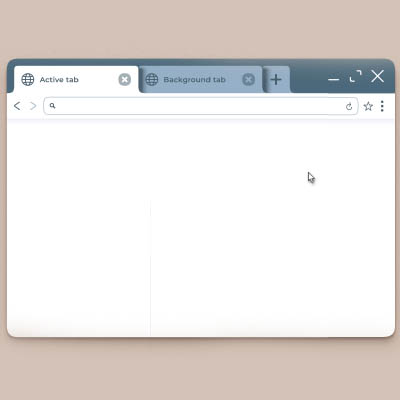
Most of us use our internet browser every single day without thinking twice. Open tab, type something, click stuff, maybe panic a little when 42 tabs are open. Your browser can actually do a lot more for you, including saving you time and keeping you organized. This month, we thought we’d give you three browser tips that can seriously help you.

Pin Your Most-Used Tabs

If you’re constantly opening the same websites every day—like email, calendar, music, or that project you swear you’ll finish soon—pinning tabs is a total game changer.

Right-click on a tab and hit Pin. Boom. That tab gets locked in place, shrinks down, and always opens when you launch your browser. No more fumbling around trying to remember which tab was what. 

Master Keyboard Shortcuts

Using a mouse is fine, but keyboard shortcuts? That’s where it’s at. They make you faster than ever. Here are a few handy ones to remember:

  • Ctrl + T (or Cmd + T on Mac) – Open a new tab
  • Ctrl + Shift + T – Reopen the tab you just accidentally closed (a real lifesaver)
  • Ctrl + L – Jump straight to the address bar
  • Ctrl + Tab – Switch to the next tab

Learn a few of these and people will think you’re a wizard with the internet.

Clear Your Cache Once in a While

Your browser stores a bunch of temporary files to make things load faster, but too much of that junk can slow things down or make websites act weird. Go into your browser settings and clear the cache every now and then. 

So there you have it—three browser tips that’ll have you cruising the web like a pro. For more great tips and tricks, check out our blog.

  • Facebook
  • Twitter
  • Reddit
  • Pinterest
  • Google+
  • LinkedIn
  • E-Mail

Posts by Topic

  • Annual Golf Scramble
  • Best practices
  • Blog
  • Business
  • Cloud
  • How To
  • IT Blog
  • Miscellaneous
  • News
  • Newsletter Archive
  • Security
  • Technology
  • Tip of the Week

Tags

ai Backup Best Practices Business cloud Computer Current Events Data Data Recovery Disaster Recovery Efficiency Email Gadgets Hackers Hardware Holiday Innovation IT Services IT Support Malware Managed Service Microsoft Miscellaneous Network Security Outsourced IT Phishing Privacy Productivity Quick Tips Ransomware Saving Money security Small Business Social Media Software Technology Tip of the Week Training trust Upgrade User Tips Windows Windows 7 Workplace Strategy Workplace Tips

Archives

  • January 2026
  • December 2025
  • November 2025
  • October 2025
  • September 2025
  • August 2025
  • July 2025
  • June 2025
  • May 2025
  • April 2025
  • July 2024
  • November 2023
  • October 2023
  • June 2023
  • May 2023
  • April 2023
  • March 2023
  • February 2023
  • January 2023
  • September 2021
  • January 2021
  • October 2020
  • June 2020
  • January 2020
  • September 2019
  • July 2019
  • June 2019
  • November 2018
  • February 2018
  • January 2018
  • November 2017
  • October 2017
  • August 2017
  • July 2017
  • June 2017
  • May 2017
  • April 2017
  • March 2017
  • February 2017
  • January 2017
  • November 2016
  • October 2016
  • September 2016
  • August 2016
  • July 2016
  • June 2016
  • May 2016
  • April 2016
  • March 2016
  • February 2016
  • January 2016
  • December 2015
  • November 2015
  • October 2015
  • September 2015
  • July 2015
  • June 2015

Recent Posts

  • How to Cut Printing Costs by 40 Percent Using Technology
  • Should You Pay Your Vendors and Bills with Crypto?
  • New to Managed Services? Here Are 3 No-Brainers to Consider
  • Want to Make Security Training Easier? Embrace Micro-Learning
  • Why Percussive Maintenance is Killing Your Technology
  • Windows 10 End of Life Countdown
  • IT Services
    • IT Services
    • IT Support
    • FIT Assurance Security Business Series
    • FIT Assurance Security Live Series
  • Industries
    • Small Business
    • Manufacturers
    • Non-Profits
    • Service
  • About
    • About Us
    • Leadership Team
    • Blog
    • News
    • Privacy Policy
  • Support
  • Careers
  • Contact
  • Millennia Technologies
  • Windows 10 End of Life Countdown
  • IT Services
    • IT Services
    • IT Support
    • FIT Assurance Security Business Series
    • FIT Assurance Security Live Series
  • Industries
    • Small Business
    • Manufacturers
    • Non-Profits
    • Service
  • About
    • About Us
    • Leadership Team
    • Blog
    • News
    • Privacy Policy
  • Support
  • Careers
  • Contact
  • Millennia Technologies