

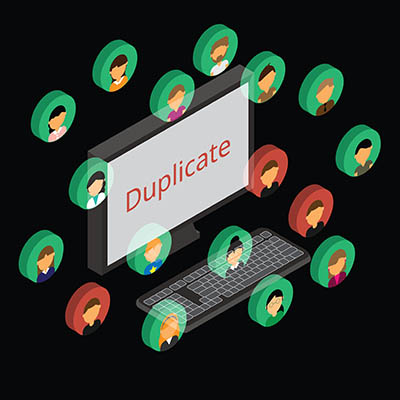
We all have too many accounts nowadays. Between our personal lives, work, and practically all the entertainment we consume, there are dozens to keep track of and manage… and then there are the ones that charge us for a service they offer. The stacking costs of these services are bad enough, but if you see them start to double or even triple in a given month, you may be experiencing a common problem that is simple enough to solve.
To do so, we need to clarify the difference between creating an account and logging in.
The Difference Between Creating an Account and Logging In
Whatever account you’re considering, think of it as investing in office space.
Creating an account is like setting up a space that suits your needs. You generally only have to do it once—the first time you walk in—and as you do so, you leave behind some of your belongings… furniture, equipment, and other materials. In this case, it’s your name, contact info, and potentially personally identifiable information and credit card info.
Logging in is like accessing this space each time afterward. It’s using your key to open the door and turning on the lights, starting a pot of coffee, and otherwise getting ready to use the space.
If you already have an account on a website, meaning you’ve gone through the setup process, all you need to do is log in. If you create another account, you’re effectively setting up another office space with duplicate furniture and equipment.
Hackers and Scammers Love to See This
How many people do you know who have a couple of different Facebook profiles? Are you one of those people?
If you are, know that we here at Fusion IT aren’t necessarily calling you out. It’s a pretty common issue, even a few decades into social media and widespread Internet access. In many cases, it’s because someone forgot their password and created a new account.
That said, I want to remind you that your new account can easily cause a few problems:
- Everything that you’ve shared on your original accounts—data, pictures, memories, everything—is going to stay locked away and out of your reach. This is pretty antithetical to the point of social media in the first place.
- Many scammers perpetrate their schemes using cloned online identities, which is a fancy way of saying duplicate accounts. Trying to manage the mess of duplicate social media creates the confusion that cybercriminals thrive in.
With the holiday season in full swing, it is even more vital for everyone to stay aware of and maintain their account hygiene. Scams and swindles are going to be everywhere.
The Impact is Even Bigger for Businesses
While we’ve primarily focused so far on personal use, this is a particularly big problem if a business does it… including those in Grand Rapids.
Your business should have a single official Google account, and that account should tie to everything about your business. Your Google My Business listing, your website, your analytics, everything that requires an email or something to do with your business should tie to this single official account.
Please, Please, Please Protect This Account with Everything Available
Let’s go back to the office space analogy for a second. What’s keeping your business/accounts safe from unauthorized access and damage? Sure, you have your password, but relying on that alone is like protecting your business with a “Stay Out” sign. It helps, but it just isn’t enough anymore. You need a deadbolt, too.
In the case of your business account—and this applies to every account you have—this means you need to strengthen your password protection with additional authentication requirements… a strategy known as multi-factor authentication.
What is Multi-Factor Authentication?
You’ve almost certainly seen this before: an app or website emailing you a link or a code to provide after submitting your password. It’s the extra step that helps these platforms confirm that the person accessing an account is that person. Basically, by asking for something that you would have, but someone else wouldn’t, it’s much more likely to be you.
In short, multi-factor authentication (or MFA) can be a pain, but it’s a pain that prevents a lot worse pain later on.
Share This With Someone You Know!
Issues like this are half the reason a lot of people find technology so frustrating… it’s simply due to miscommunication between the user and the instructions. It happens at home and in the business setting.
We help Grand Rapids businesses manage effectively all aspects of their technology, including their business’ accounts with different vendors and platforms. Reach out to us at (616) 828-5360 to set up a time and find out what we can do to help you!